
Introduction to Planner 5D and Digital Home Design
Planner 5D has emerged as one of the most popular tools for interior design and home planning in the digital age. As technology continues to transform creative industries, platforms like Planner 5D make it possible for anyone to design their dream home without professional expertise.
Whether you are renovating a room, planning a new house, or simply experimenting with interior ideas, Planner 5D offers a powerful yet user-friendly solution. It bridges the gap between imagination and reality by allowing users to visualize their ideas in both two-dimensional and three-dimensional formats.
What is Planner 5D and How It Works
Planner 5D is an online and mobile-based home design software that allows users to create detailed floor plans and interior layouts. It works through a simple drag-and-drop interface, making it accessible even for beginners.
Users can start from scratch or upload an existing floor plan, which the system can convert into a digital model using artificial intelligence.
From there, they can customize layouts, add furniture, and experiment with different styles.
The platform supports both 2D planning for accuracy and 3D visualization for realism, giving users a complete design experience.
Key Features That Make Planner 5D Stand Out
Planner 5D offers a wide range of features that make it a versatile design tool. One of its most notable capabilities is the ability to switch seamlessly between 2D and 3D views. This allows users to plan layouts precisely and then visualize them realistically.
The platform includes a large catalog of furniture and decor items, with over 8,000 objects available for customization.
Users can adjust colors, textures, and sizes to match their vision.
Another important feature is its AI-powered design assistance, which can generate layouts and suggest improvements based on user preferences.
Creating Floor Plans with Ease
One of the core functions of Planner 5D is floor plan creation. Users can draw walls, place doors and windows, and define room dimensions with precision.
The software supports both metric and imperial measurement systems, ensuring flexibility for users worldwide.
With its intuitive interface, even complex layouts can be created in a relatively short time. This makes it ideal for homeowners, students, and professionals alike.
3D Visualization and Realistic Rendering
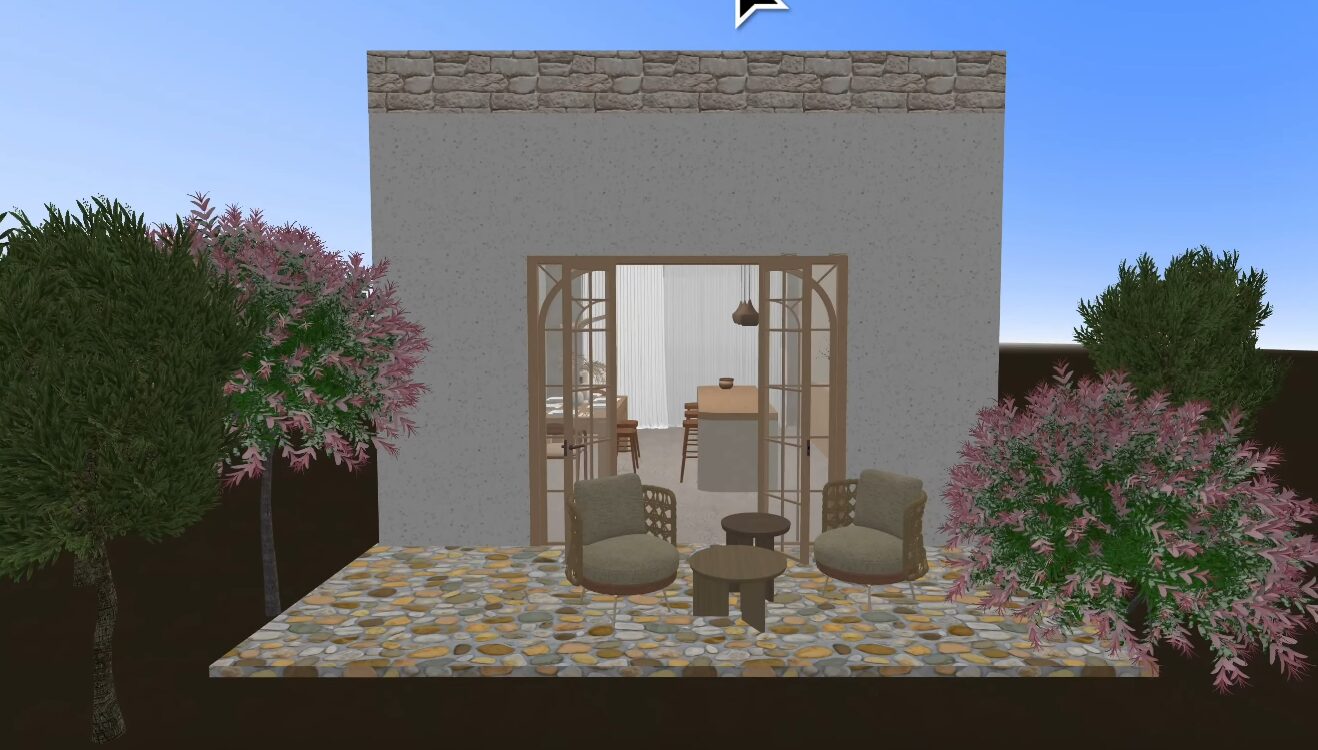
Planner 5D excels in transforming simple floor plans into realistic 3D models. Users can explore their designs through immersive views, including virtual walkthroughs and high-quality renderings.
The platform uses advanced rendering technology to simulate lighting, shadows, and textures, creating a lifelike representation of spaces.
This feature is particularly useful for visualizing how a space will look before making real-world changes.
AI-Powered Design and Automation
Artificial intelligence plays a significant role in Planner 5D’s functionality. The platform includes tools that automatically generate room designs based on user input.
Users can upload images or floor plans, and the AI system will recognize structural elements such as walls, doors, and windows.
This automation reduces manual effort and speeds up the design process, making it more efficient and accessible.
Extensive Furniture and Decor Library
Planner 5D offers a comprehensive catalog of furniture and decor items that users can incorporate into their designs. From sofas and beds to lighting and accessories, the platform provides a wide range of options.
The ability to customize these items further enhances creativity. Users can experiment with different styles, colors, and arrangements to achieve their desired look.
This extensive library ensures that designs are both realistic and visually appealing.
Cross-Platform Accessibility and Flexibility
One of the major advantages of Planner 5D is its cross-platform compatibility. The software is available on web browsers, smartphones, tablets, and desktop devices.
Users can start a project on one device and continue working on another, thanks to cloud synchronization.
This flexibility makes it convenient for users to design anytime and anywhere.
Planner 5D offers both free and premium versions. The free version includes basic tools and a limited catalog of items, making it suitable for beginners.
The premium version unlocks advanced features such as full access to the furniture library, enhanced customization options, and high-quality rendering capabilities.
This tiered approach allows users to choose the level of functionality that suits their needs.
Planner 5D is designed for a wide range of users, including homeowners, students, interior designers, and real estate professionals.
Beginners can use it to explore design ideas, while professionals can utilize its advanced tools for presentations and project planning.
Its intuitive interface ensures that users of all skill levels can benefit from the platform.
Advantages of Using Planner 5D
One of the biggest advantages of Planner 5D is its ease of use. The drag-and-drop interface simplifies the design process, making it accessible to non-professionals.
The ability to visualize designs in 3D helps users make informed decisions about layouts and decor. Additionally, the platform’s AI features save time and enhance creativity.
Its cross-platform functionality and extensive library further add to its appeal.
Despite its strengths, Planner 5D has some limitations. The free version offers limited access to features, which may restrict creativity for some users.
Additionally, some users have reported issues related to subscription management and customer support.
While the platform is excellent for conceptual design, it may not replace professional architectural software for detailed construction planning.
Planner 5D for Beginners vs Professionals
For beginners, Planner 5D provides an easy entry point into home design. Its simple interface and guided features make it easy to start designing without prior experience.
For professionals, the platform offers advanced tools such as high-quality rendering and customizable templates. However, it is generally more suited for conceptual and presentation purposes rather than technical architectural work.
This balance makes it a versatile tool for different types of users.
Real-World Applications of Planner 5D
Planner 5D can be used in various real-world scenarios. Homeowners can plan renovations, experiment with layouts, and visualize furniture arrangements.
Interior designers can create presentations for clients, while real estate professionals can showcase property potential.
The platform is also widely used in education, helping students learn about design principles and spatial planning.
The Role of Planner 5D in Modern Design Trends
As digital tools become more important in design, Planner 5D represents a shift toward accessible and technology-driven creativity.
The integration of AI, 3D visualization, and mobile accessibility reflects broader trends in the design industry.
These innovations make it easier for individuals to participate in the design process, regardless of their background.
Tips for Getting the Most Out of Planner 5D
To maximize the benefits of Planner 5D, users should start with simple projects and gradually explore advanced features.
Experimenting with different layouts, materials, and lighting can help refine design skills. Saving multiple versions of a project allows for comparison and improvement.
Using the 3D view frequently ensures that designs are both practical and visually appealing.
Future of Planner 5D and Digital Design Tools
The future of Planner 5D looks promising, with continued advancements in artificial intelligence and visualization technology.
As more features are introduced, the platform is likely to become even more powerful and user-friendly.
The growing demand for digital design tools ensures that platforms like Planner 5D will play a significant role in shaping the future of interior design.