

Keep Important Files Backed Up with Total Drive
Digital files have become an important part of everyday life. Photos, documents, videos, work projects, school assignments, and personal records are often stored on computers and mobile devices. Losing these files because of accidental deletion, hardware problems, device damage, or other unexpected issues can be frustrating. Total Drive provides cloud storage and backup tools designed to help users keep important digital files protected.
Cloud backup provides an additional copy of selected files away from the primary device. This can be useful if something happens to the original files. Instead of relying only on a computer’s hard drive or a phone’s internal storage, users can maintain another copy through a cloud-based service.
Total Drive can be part of a regular file-management routine for people who want a convenient way to back up and access their digital information.
Store Photos, Documents, and Personal Files
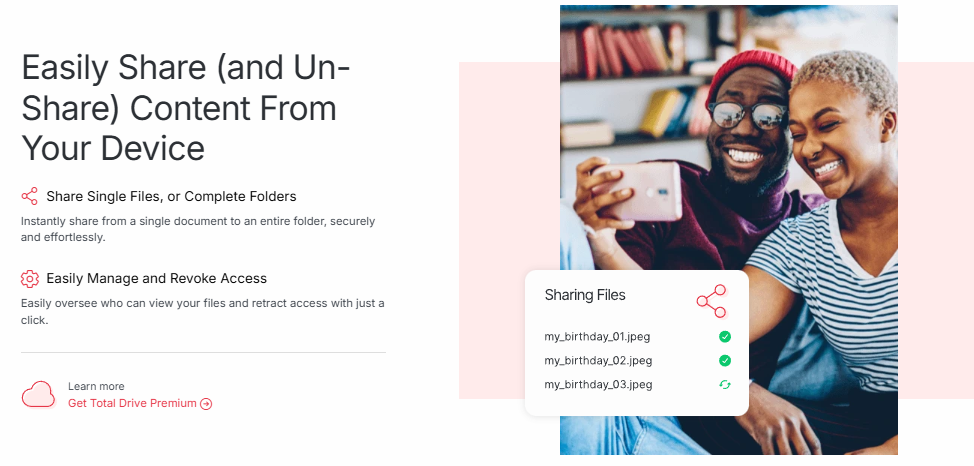
People create and collect different types of files every day. Photos capture important memories, documents contain valuable information, and videos can require significant storage space. Keeping everything organized on a single device may eventually become difficult.
Total Drive provides cloud storage that can give users additional space for their digital content. Uploading important files to cloud storage can also create an extra layer of protection against problems affecting a local device.
Users can organize their files according to their own needs. For example, photos can be grouped by year or event, while documents can be organized into folders for work, education, household records, or personal projects.
An organized storage system makes it easier to find files later. Taking a few minutes to create meaningful folder names and remove unnecessary duplicates can make cloud storage easier to manage.
Back Up Your Devices Automatically
One of the challenges of digital file protection is remembering to create backups regularly. Manually copying files can be easy to postpone, especially when people have busy schedules. Automatic backup features can help reduce the need for constant manual action.
Total Drive offers backup functionality designed to help users protect selected files automatically. Depending on the setup and supported devices, users can choose what information they want included in their backup routine.
Automatic backups can be particularly useful for files that change frequently. Work documents, photographs, and personal projects may be updated regularly, so having a consistent backup process can reduce the chance of losing recent changes.
Users should still review their backup settings from time to time to ensure that the folders and files they consider important are included.
Access Your Files Across Your Devices
Modern users often work with multiple devices. Someone might take photos on a smartphone, edit documents on a laptop, and use another computer for work or study. Having files available through cloud storage can make moving between devices more convenient.
Total Drive can provide users with access to stored files through supported devices and services. Cloud-based access means users do not necessarily have to rely on carrying a physical storage device from one location to another.
This can be useful when travelling or working away from home. Instead of searching through different devices for a particular document or photo, users can access their stored content through their cloud account where supported.
Good organization remains important. Clear folder structures and descriptive file names can make it easier to locate information quickly.
Protect Your Digital Memories and Important Documents
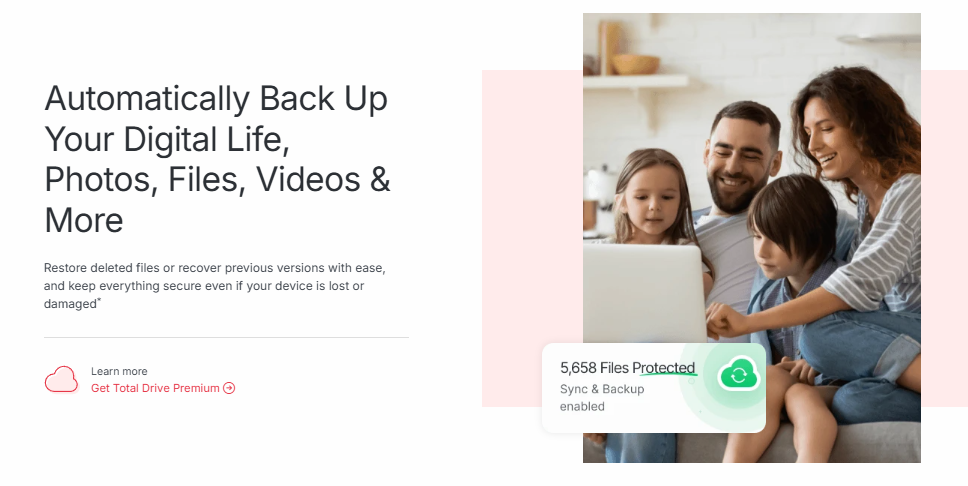
Some digital files are difficult or impossible to replace. Family photographs, personal videos, important documents, creative projects, and other records may have significant personal value.
Backing up these files can help reduce the risk associated with relying on a single storage location. If a computer stops working or a device is lost, having another copy stored securely can provide a way to recover important information.
Total Drive can support this approach by providing cloud-based storage and backup options. Users can decide which files are most important and create a backup routine around those items.
It is also useful to consider the security of the account itself. Users should create a strong password, avoid sharing account credentials, and use additional account-security features when available. Protecting access to a cloud account is an important part of protecting the files stored inside it.
Simplify Digital Storage and File Management
As the amount of digital content grows, managing files can become increasingly difficult. Multiple copies of the same photograph, old documents, large videos, and unused files can quickly consume storage space.
A cloud storage service can provide an additional place to organize and manage digital information. Total Drive gives users a way to store files remotely while maintaining a more structured approach to digital organization.
Users can create folders based on projects, dates, file types, or personal categories. Regularly reviewing stored files can also help keep the storage space organized.
A simple file-management routine might include backing up important folders, removing unnecessary duplicates, organizing new files immediately, and reviewing backup settings periodically. These small habits can make long-term digital storage easier to maintain.
Build a Reliable Backup Routine with Total Drive
Having a backup strategy is an important part of managing digital information. Devices can fail unexpectedly, files can be deleted accidentally, and physical storage can become damaged. A reliable backup can provide an additional copy when the original is unavailable.
Total Drive offers cloud storage and backup features that can help users create a more consistent approach to protecting their digital files. Whether the goal is to safeguard personal photographs, store important documents, or maintain copies of work projects, cloud backup can provide useful flexibility.
Users should identify their most important files and determine how frequently they need to be backed up. Automatic backup options can make the process easier by reducing the need to remember every backup manually.
It is also a good idea to periodically check that backups are working correctly and that the required files are being stored. A backup is most useful when it contains the information you actually need to recover.
With Total Drive, users can bring cloud storage and backup into their everyday digital routine. By combining cloud-based protection with good file organization and secure account practices, users can create a more dependable way to manage important digital information and preserve valuable files for the future.