

Organize Your Digital Life with Total Drive
Digital files are an important part of modern life. From family photographs and personal videos to work documents, school projects, receipts, and creative files, people can accumulate large amounts of information over time. Keeping all of these files organized and protected is easier when there is a clear storage and backup routine.
Total Drive provides cloud storage and backup solutions that can help users manage important digital content. Instead of relying entirely on the storage available on a computer, phone, or external drive, users can keep additional copies of selected files through cloud storage.
A structured approach to digital storage can also make files easier to locate when needed. Creating folders, using meaningful file names, and regularly reviewing stored content can help maintain a more organized digital environment.
Create Secure Copies of Important Files
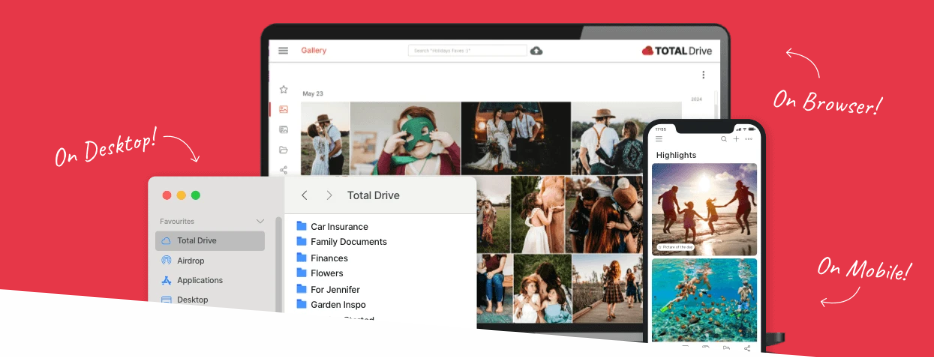
A single copy of an important file can be vulnerable to unexpected problems. A computer could experience a hardware failure, a phone could be lost, or a file could be deleted accidentally. Maintaining another copy can reduce the risk of permanently losing valuable information.
Total Drive can help users create cloud-based copies of selected files. This approach can be particularly useful for important photographs, documents, videos, and personal projects that would be difficult to replace.
Users can begin by identifying their most valuable digital content. Family photographs, important records, work documents, and creative projects may deserve priority. Once the most important files are identified, users can organize them into folders and include them in their backup routine.
Regularly checking which files are being backed up can also help ensure that newly created content does not get overlooked.
Store Photos and Videos in the Cloud
Photos and videos often require considerable storage space, particularly when captured in high resolution. As people continue taking pictures and recording videos, the amount of digital content on their devices can grow quickly.
Total Drive provides cloud storage that can offer an additional location for storing personal media. Uploading photographs and videos can help users maintain copies outside their primary device.
Organizing media by year, event, trip, or family member can make large collections easier to manage. For example, users could create separate folders for holidays, birthdays, celebrations, work events, or personal projects.
Cloud storage can also be useful when moving to a new device. Having files stored remotely can make it easier to maintain access to important content rather than depending entirely on the storage of an older computer or phone.
Simplify Automatic Backup
One of the biggest challenges with traditional backups is remembering to perform them regularly. Manual copying can become inconvenient, especially when files are updated frequently.
Total Drive includes backup functionality that can help users establish a more consistent backup process. Automatic backup can reduce the need to manually copy files every time new information is created or an existing document is updated.
Users can select the files and folders that matter most and review their backup configuration periodically. This is especially useful for work folders, personal photographs, and other content that changes regularly.
Automatic backup should still be monitored. Users should occasionally confirm that the desired files are included and that the backup process is operating as expected.
Access Your Stored Content When Needed
Cloud storage can provide flexibility for people who use more than one device. Many users move between computers, smartphones, tablets, and other devices throughout the day.
Total Drive can make stored files available through supported access methods, helping users manage their digital content without relying entirely on one physical device.
This can be useful while travelling or working away from home. If an important document or photograph is stored in the cloud, users can access it through their account where supported rather than searching through several devices or carrying additional storage equipment.
Organizing files properly is still important. Clear folder names and logical categories can make it much easier to find a particular document or photograph when time is limited.
Manage Storage with Better File Organization
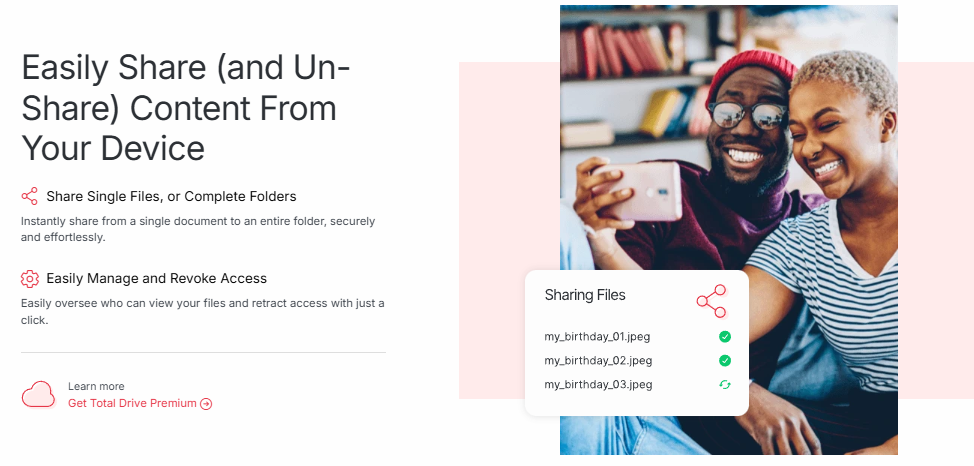
Cloud storage is most useful when files are organized effectively. Without a simple system, users can end up with large collections of documents and photographs that are difficult to navigate.
Total Drive can be incorporated into a broader file-management routine. Users can arrange files into categories based on their needs, such as work, education, personal records, photographs, videos, and projects.
It can also be helpful to review files periodically. Removing unnecessary duplicates and outdated content can make storage easier to manage. Before deleting anything, users should make sure the files are no longer needed and that important information has another appropriate copy if necessary.
Using consistent naming conventions can also save time. A descriptive file name can make it easier to understand the content without opening every document individually.
Build a Long-Term Backup Strategy with Total Drive
Digital storage should be viewed as an ongoing process rather than a one-time task. New photographs, documents, videos, and projects are created continuously, so backup routines should evolve with changing storage needs.
Total Drive can be part of a long-term strategy for keeping important digital information organized and backed up. Users can identify essential files, configure appropriate backup settings, review stored content regularly, and maintain secure account access.
It is also useful to remember that cloud storage is one part of an overall backup strategy. Depending on the importance of the information, some users may choose to maintain additional copies through other suitable storage methods.
A consistent routine can make digital file protection easier. Rather than waiting until a device fails or a file is accidentally deleted, users can prepare in advance by maintaining current copies of their most important content.
With Total Drive, users can bring cloud storage and backup into their everyday digital habits. From preserving family memories and protecting work documents to organizing large collections of photographs and videos, a dependable storage routine can make digital information easier to manage and access over time.